
SmrtMonitorPro
One agent and one console for monitoring, threat detection, backup and patching across your Windows and Linux machines, with one price per machine.
We invite early customers one at a time and set up your 14-day trial with you.
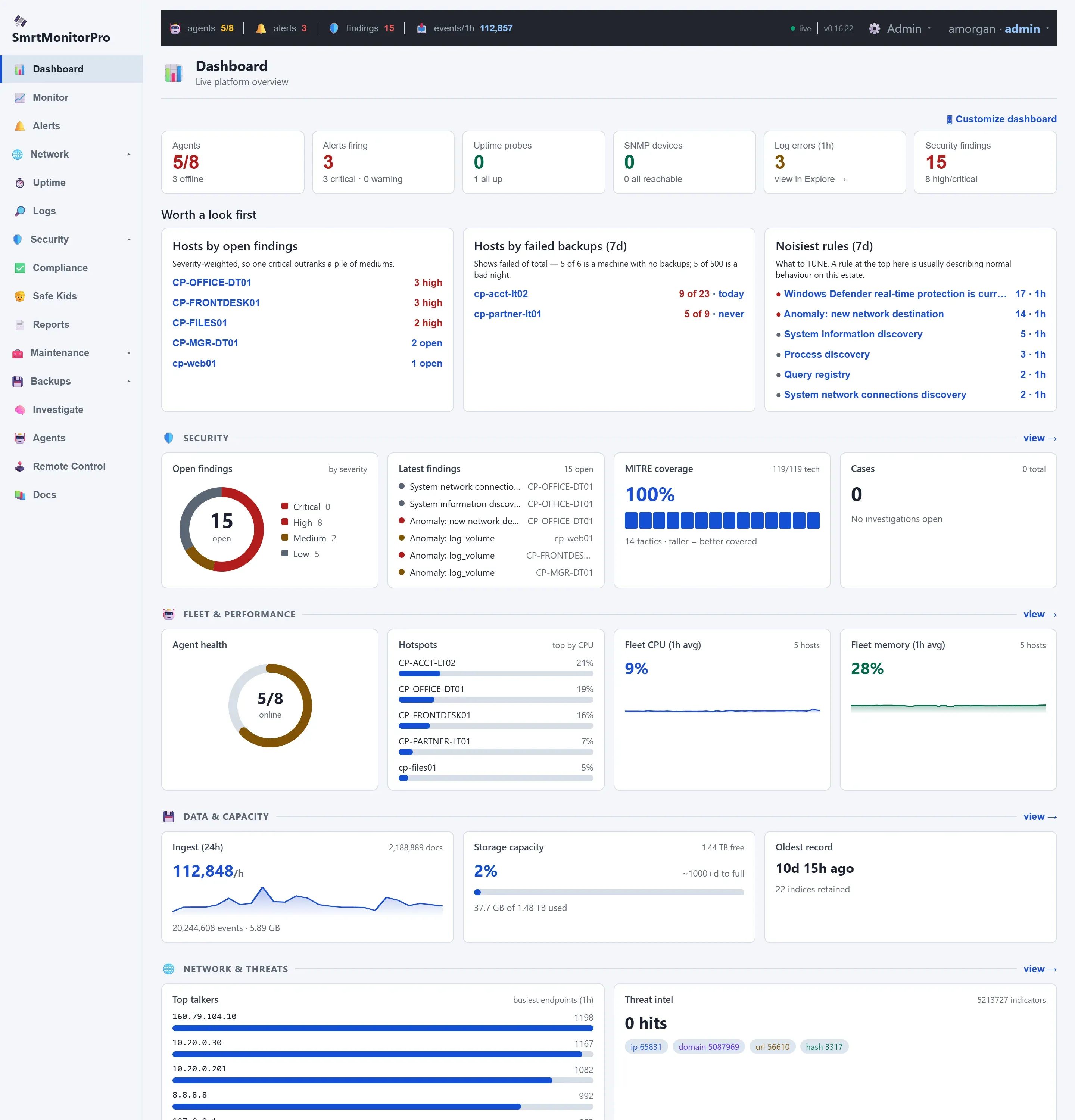
Stop stitching tools together
Small businesses usually protect their computers with a patchwork: a remote management tool, an antivirus console, a backup service, and a spreadsheet for the auditor. Each has its own agent, its own login and its own bill, and none of them can see what the others see.
SmrtMonitorPro puts all of it behind one agent. When a machine misbehaves, the alert, the logs, the patch history and the last good backup are on the same screen.
- One lightweight agent per Windows or Linux machine
- One web console, nothing to host yourself
- One price per machine, with the tiers published
- A plain-language Home view for people who aren’t IT staff
Monitoring and alerts
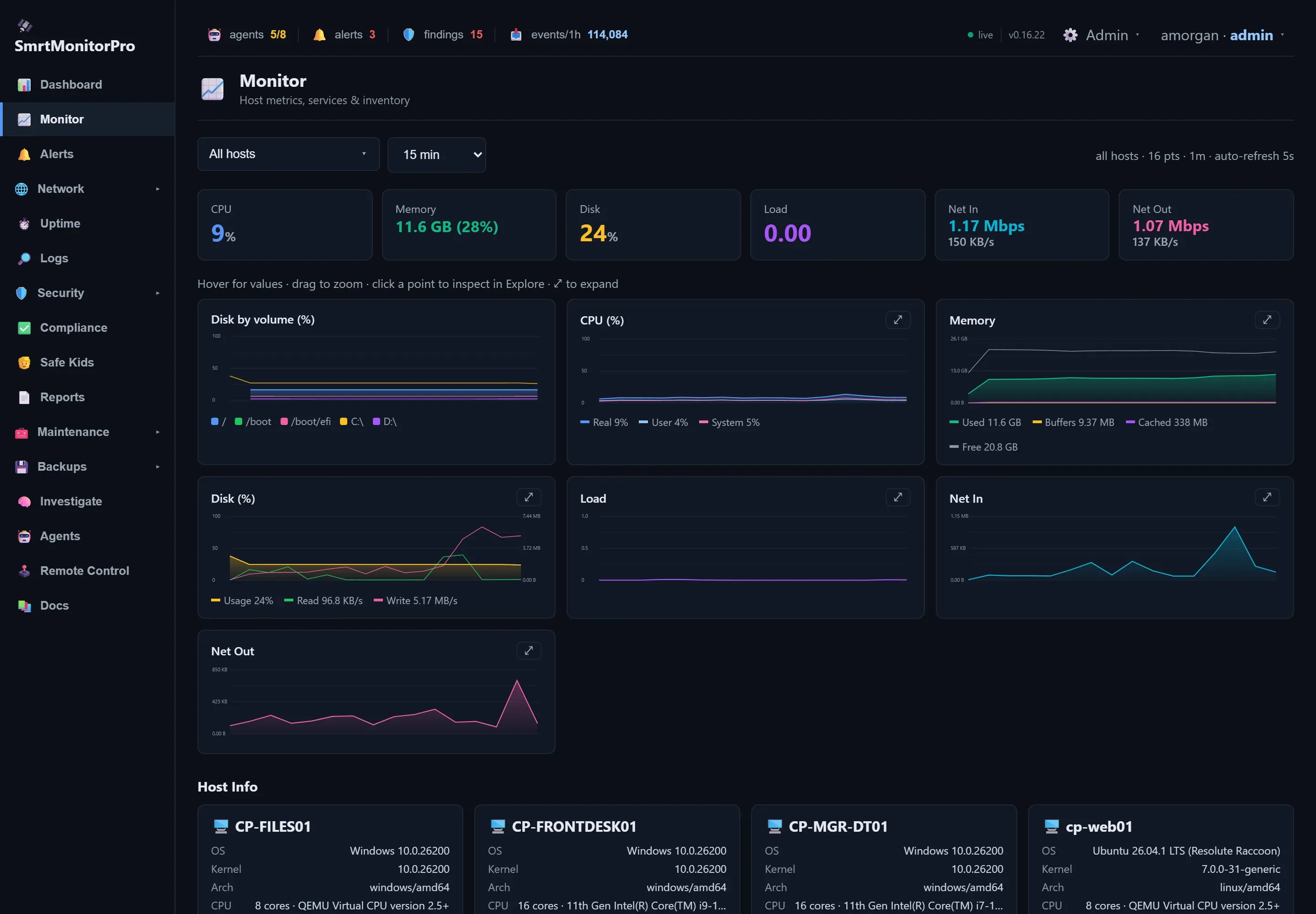
Every machine reports CPU, memory, disk, network, services and logs to one console. When something crosses a line, the right person hears about it on the channel they actually read.
- Live metrics, services and hardware inventory for every Windows and Linux machine
- Search the logs from all your machines in one place
- Uptime checks for your websites and services
- Alerts by email, Slack, Teams, Discord, PagerDuty, Opsgenie, SMS, ntfy and more, with escalation and quiet periods
Threat detection
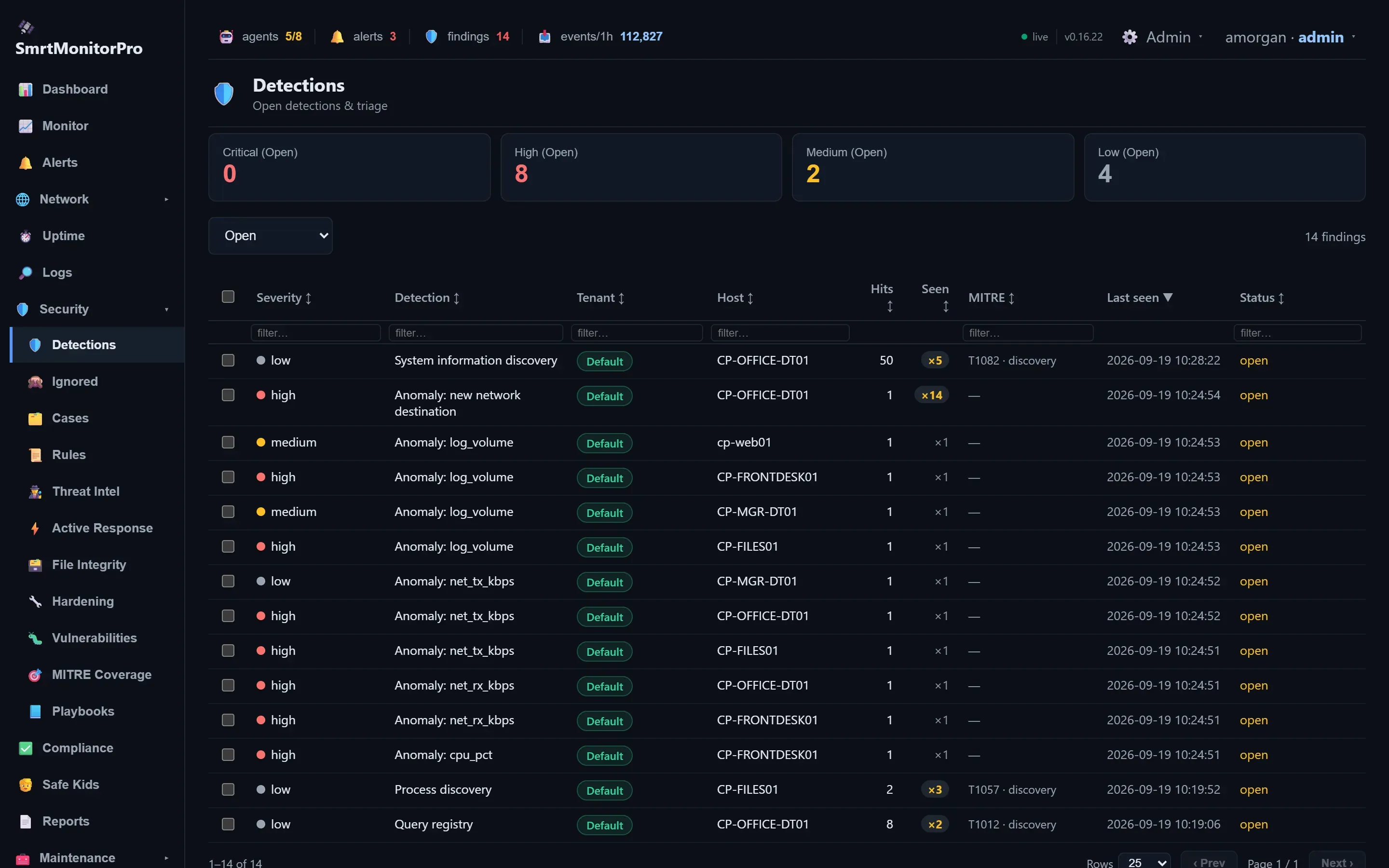
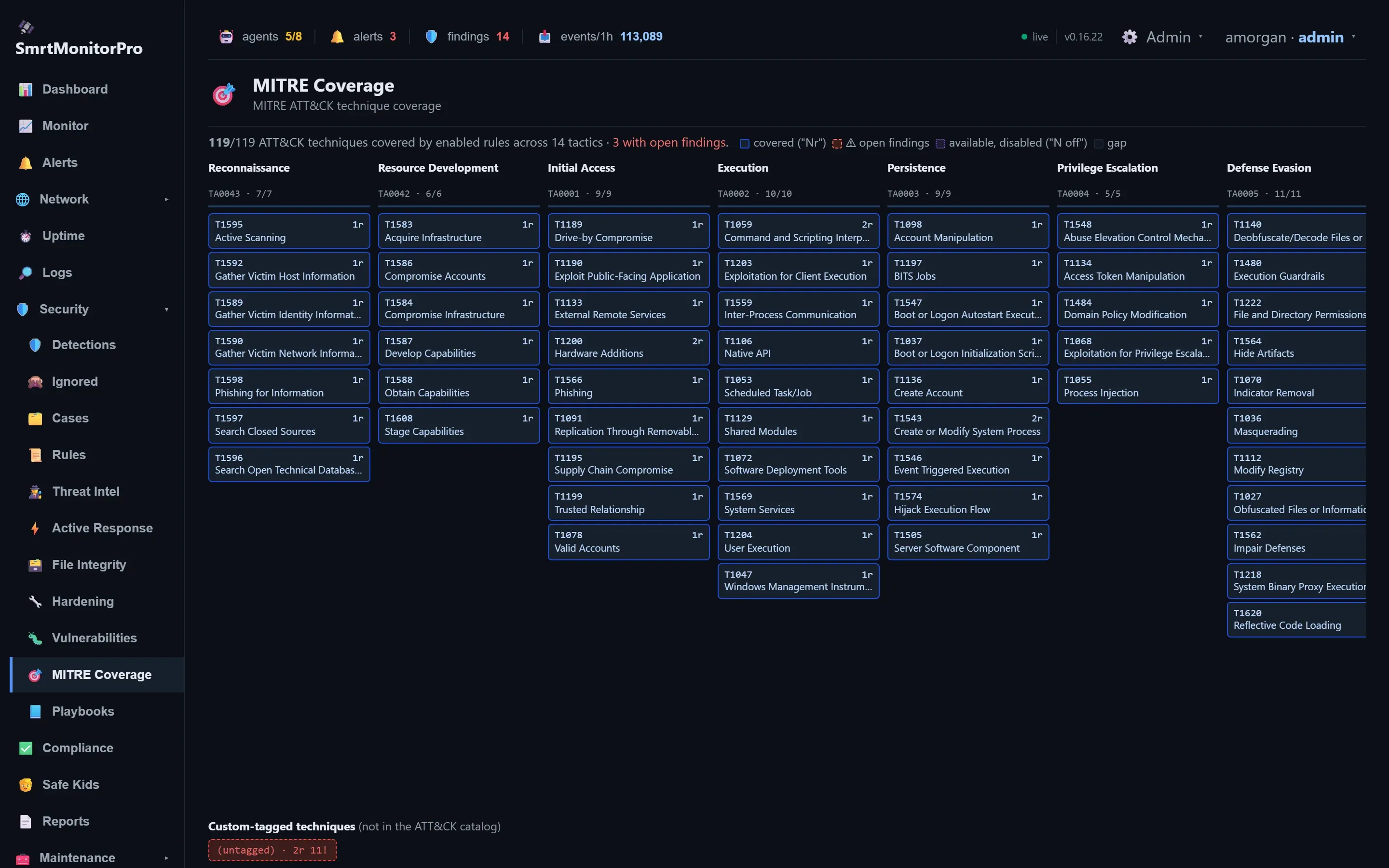
Detection rules watch for what attackers actually do, from credential dumping to ransomware behavior, and each machine is compared against its own normal so a slow compromise doesn’t become the new baseline.
- Rules covering all 119 MITRE ATT&CK techniques in the catalog
- Threat intel from 26 feeds, over five million indicators, matched against connections and file hashes
- Anomaly detection measured against each machine’s own history
- Vulnerability scanning against the NVD and CISA’s known-exploited list, plus file integrity and hardening checks
Backup and restore
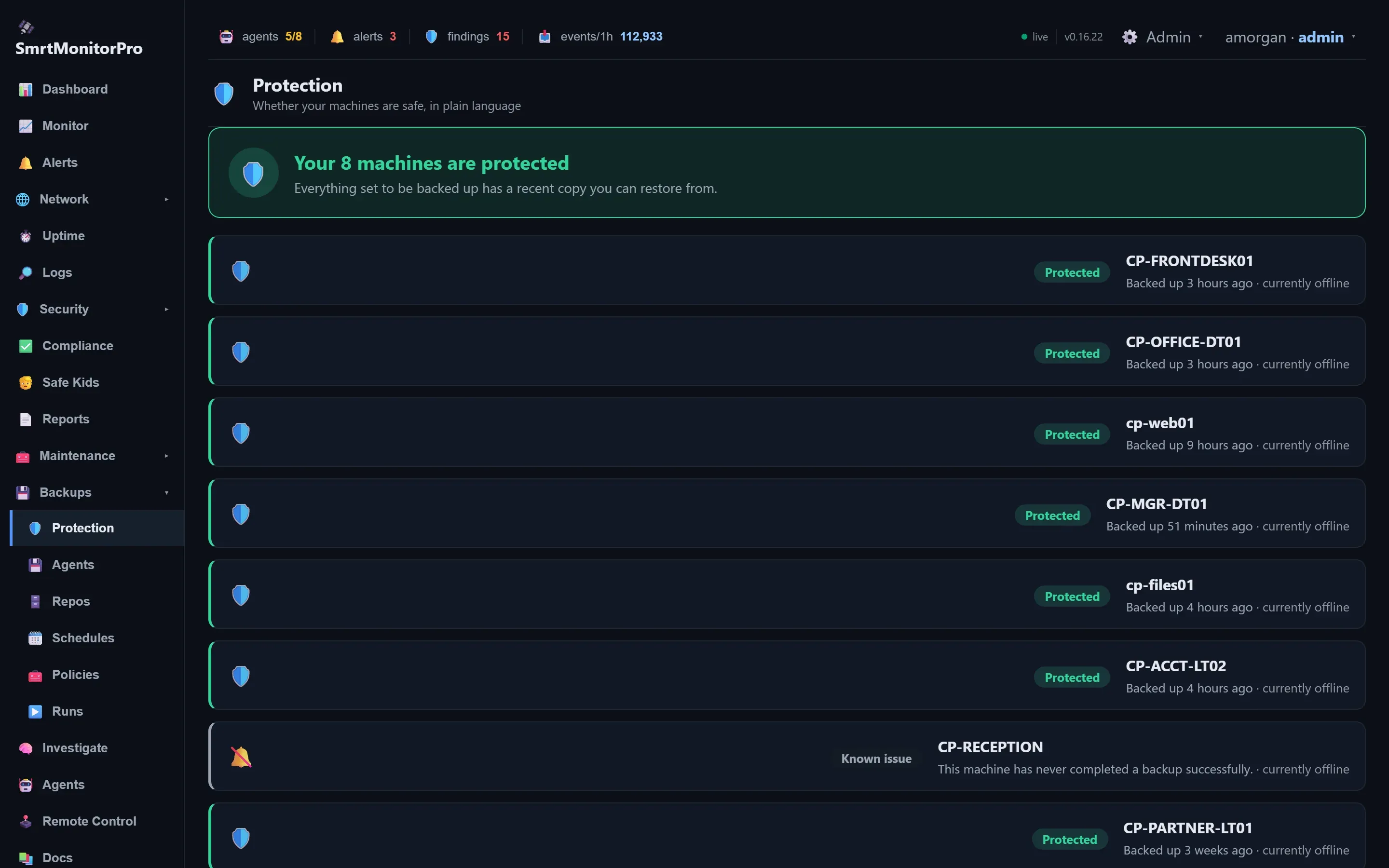
Scheduled, encrypted backups of your machines to storage you choose, with a status page that tells you in plain language whether every machine has a copy you can restore from.
- Full, incremental and differential backups on a schedule
- Send backups to a local disk, a network share, S3-compatible storage, Backblaze B2 or Azure
- Deduplication, encryption and optional immutable copies that can’t be deleted early
- Restore to the same machine or a different one
Patching and maintenance
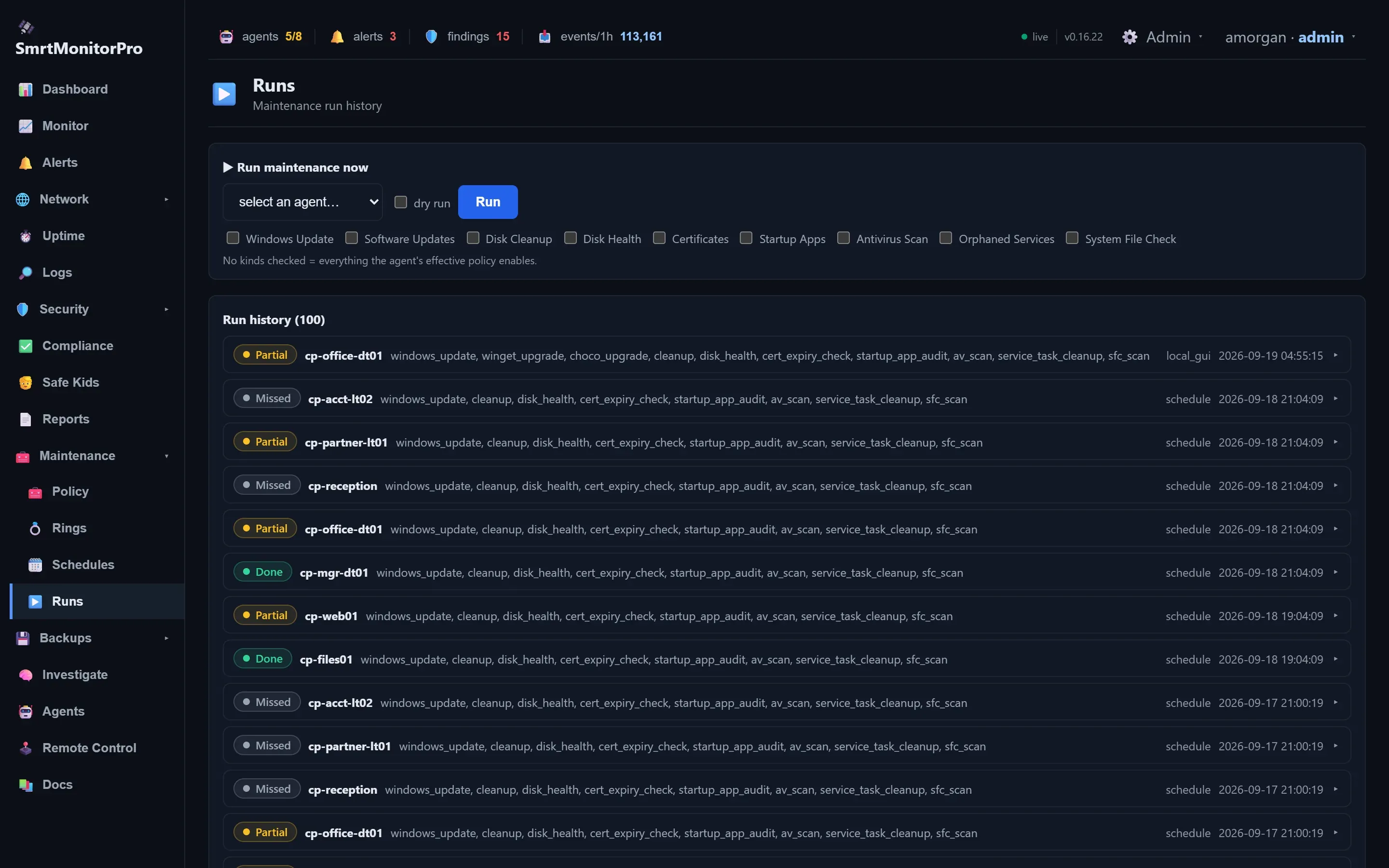
Windows updates, app upgrades and routine upkeep run on the schedule you set, rolled out in rings so a bad patch hits one test machine before it hits everyone.
- Windows Update plus winget and Chocolatey app upgrades
- Disk cleanup, disk health, certificate expiry, startup apps, antivirus scans and system file checks
- Schedules, deployment rings and reboot postponement for the person at the desk
- An approved software catalog that people install from in the tray app
Remote control
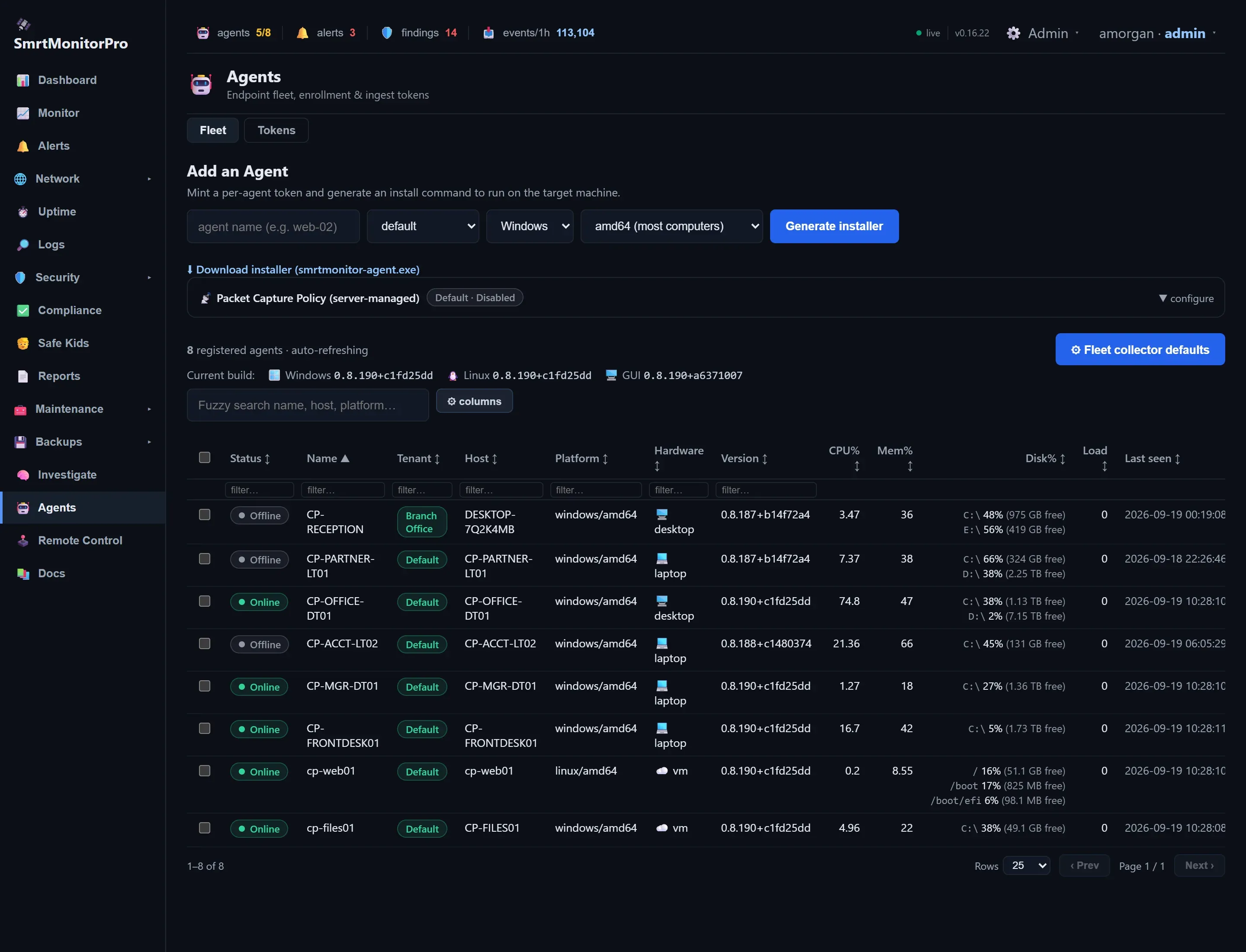
Reach any machine from the browser without a VPN. The agent only ever connects out, so you don’t open a single inbound port on the machines you manage.
- Run a command or open a shell or SSH session through the agent
- Remote desktop (RDP) in the browser
- Screen share and chat with the person at the machine. Chats are recorded and both sides are told so.
- Lock down a machine’s network in one click during an incident
Compliance reports
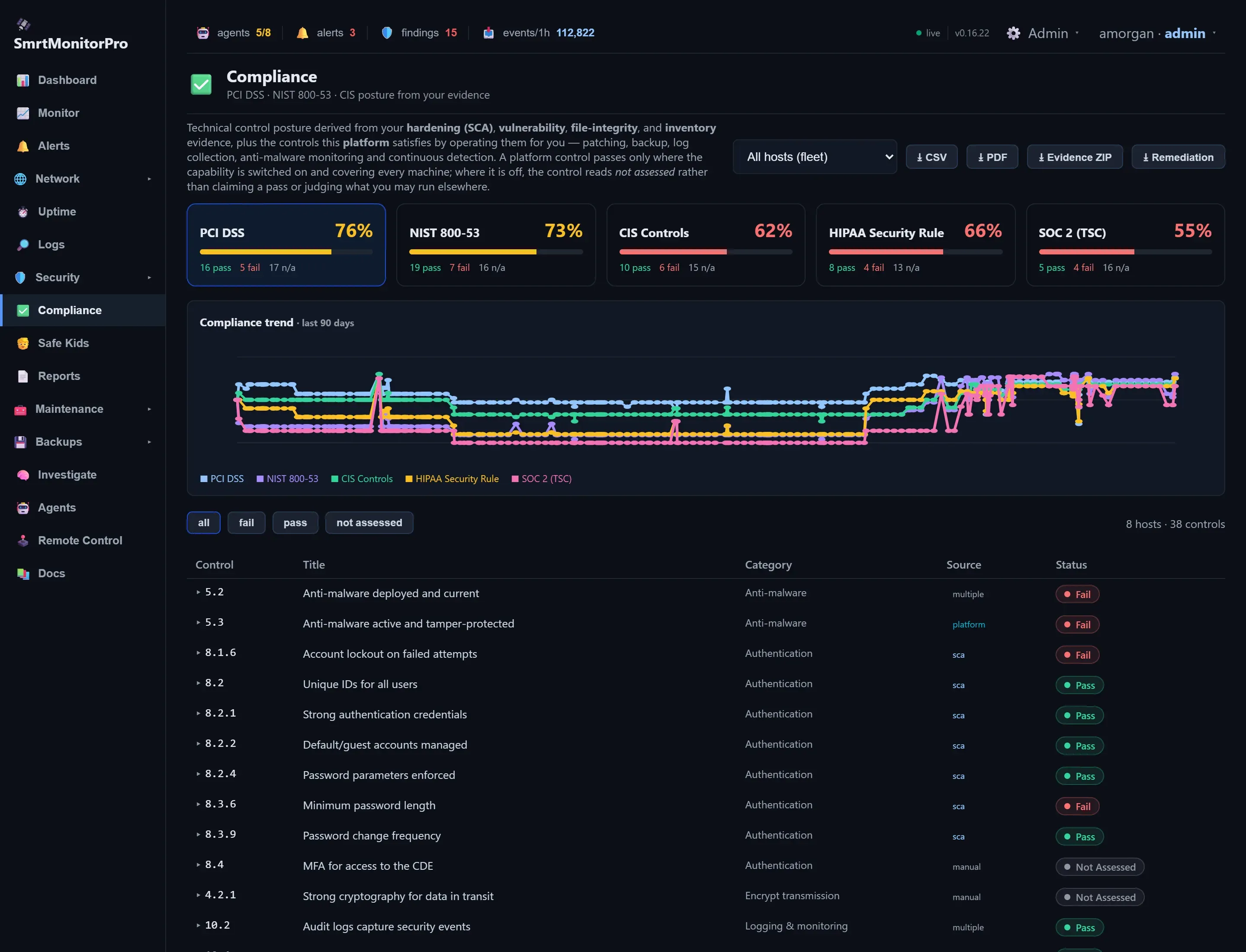
Your compliance posture is built from evidence the platform actually collects. Controls it can’t see are marked “not assessed” instead of being guessed at.
- PCI DSS, NIST 800-53, CIS Controls, HIPAA Security Rule and SOC 2
- Credit for controls SmrtMonitorPro operates for you, like patching, backup and log collection
- CSV and PDF exports, an evidence bundle and a remediation report
- Reports emailed on a schedule, with alerts when your score drops
AI investigation
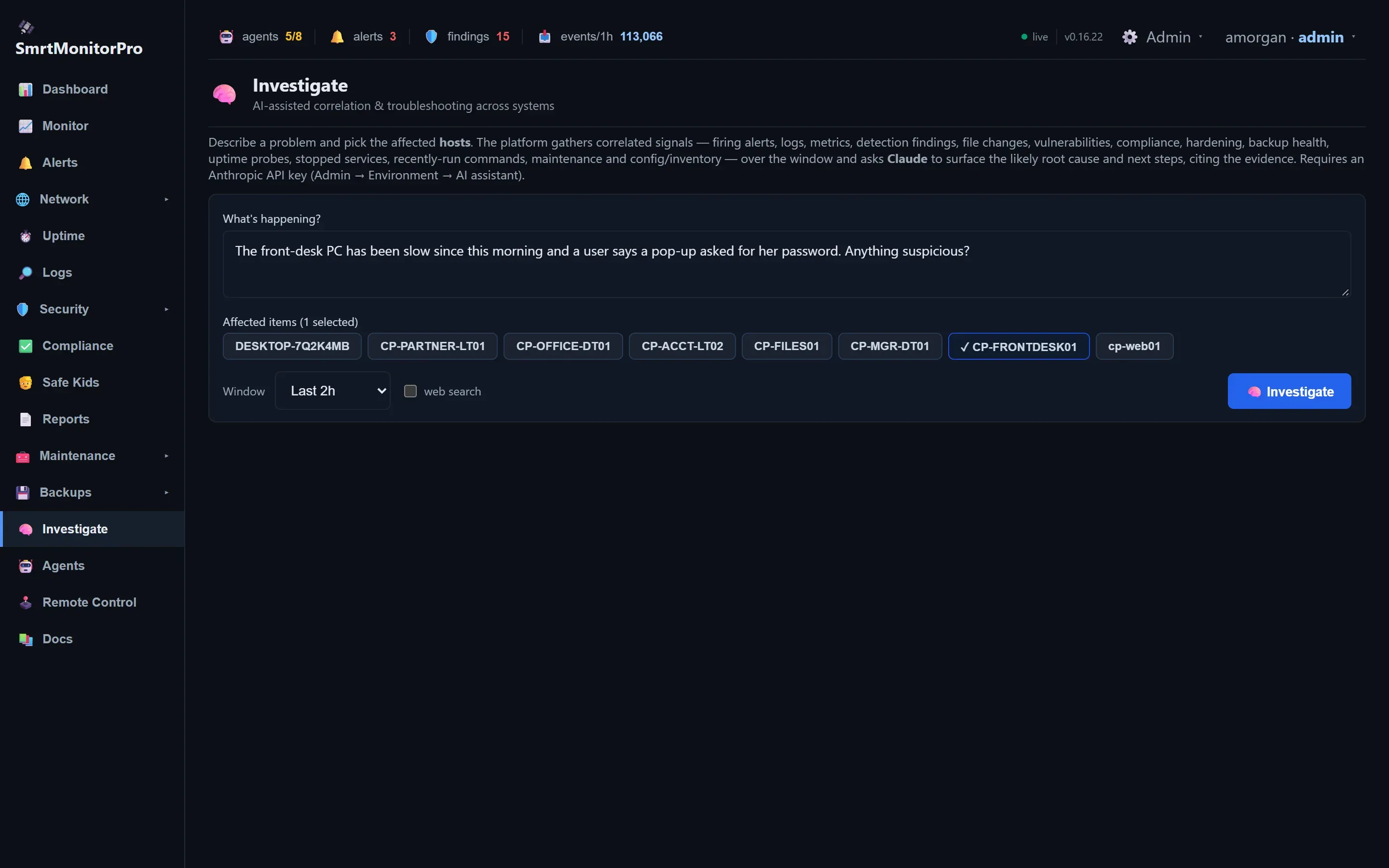
Describe a problem in plain English and pick the machines involved. SmrtMonitorPro gathers the alerts, logs, metrics, findings and recent changes, and Claude from Anthropic works out the likely cause and next steps, citing the evidence.
- Correlates signals across several machines at once
- Explains a single finding or a whole case
- Suggested actions only run after you approve them
Built to tell you the truth
A security tool that paints everything green is worse than none. SmrtMonitorPro is built to show you the gaps.
No guessed passes
A compliance control with no evidence reads “not assessed,” not “pass.”
Partial means partial
A backup job where one machine failed is reported as partial, never green.
Coverage you can check
A threat feed that stops producing data stops counting toward your coverage.
Learning periods shown
Anomaly detection tells you it is still learning a machine for its first 14 days.
Maintenance without blind spots
Each maintenance job declares what it will cause. Nothing else is silenced while it runs.
Chats on the record
Chat with the person at a machine is always recorded, and both sides see that it is.
What it runs on
- Windows 10, 11 and Windows Server, on Intel/AMD or ARM
- Linux with .deb or .rpm packages, on Intel/AMD or ARM
- Hosted by BuildITSmrt in the United States. You install the agent; we run everything else.
- Two-factor sign-in, roles from viewer to admin, and a tamper-evident audit log
No macOS agent is planned.
About early access
SmrtMonitorPro is in daily use on real machines and gets updates every week. During early access we onboard customers one at a time and set up the trial with you.
One thing to know up front: the Windows installer isn’t code-signed yet, so Windows SmartScreen will ask you to confirm it the first time. We’ll walk you through it.
Priced per machine
Every plan includes monitoring, alerts, uptime checks, log search, maintenance, the software catalog and screen share. Higher plans add protection.
Save two months with a 1-year term, or 25% with 3 years. The free trial covers 3 machines for 14 days with every feature.
Questions
What happens when the trial ends?
Pick a plan and keep going. Nothing you set up during the trial is lost.
Can I change plans later?
Yes. Existing data is kept when you move up or down, and features from your old plan keep working for 14 days after a downgrade.
Do I need to open ports on my firewall?
No. The agent only makes outbound connections. Remote desktop and SSH run through the agent, so there’s no VPN to set up either.
Can BuildITSmrt run it for me?
Yes. Our managed IT plans are built on SmrtMonitorPro, with us watching the console and fixing what it finds.
How does early access work?
Send the request form. We’ll reply by email, set up your workspace for a 14-day trial and send you the agent installer.